AI as a design partner
Using AI to explore problems, challenge ideas and build faster while keeping the design decisions mine.
AI made execution faster. It did not make the work simpler.
AI can generate screens, code and plausible answers very quickly. It can also create more noise, hide weak decisions behind polished output and push a product in several directions at once.
I did not need a tool that could make more things. I needed a way to move faster without losing coherence.
That meant treating AI as part of a design system, not as a substitute for one. I built a working loop around four activities: understanding the problem, turning decisions into constraints, executing bounded changes and evaluating what came back.
Judgment and accountability stay with me, but the thinking is collaborative.
1. Starting with the problem, not the prompt
My process rarely starts with a finished brief. It starts with fragmented inputs: workflows, screenshots, product constraints, notes, edge cases and partially formed ideas.
ChatGPT acts as my design partner here, not just an assistant. The contribution is close to half and half. I bring the product context, constraints, judgment and emerging direction. ChatGPT helps interrogate the material, find patterns, expose gaps, challenge assumptions and propose structures I might not have reached alone.
We map the problem, compare possible models and make the logic explicit before moving into detailed design. Text wireframes are useful because they are quick to change and force the hierarchy to become clear before visual polish appears.
The direction emerges through that exchange. I decide what enters the product and remain responsible for it, but ChatGPT materially shapes the thinking.
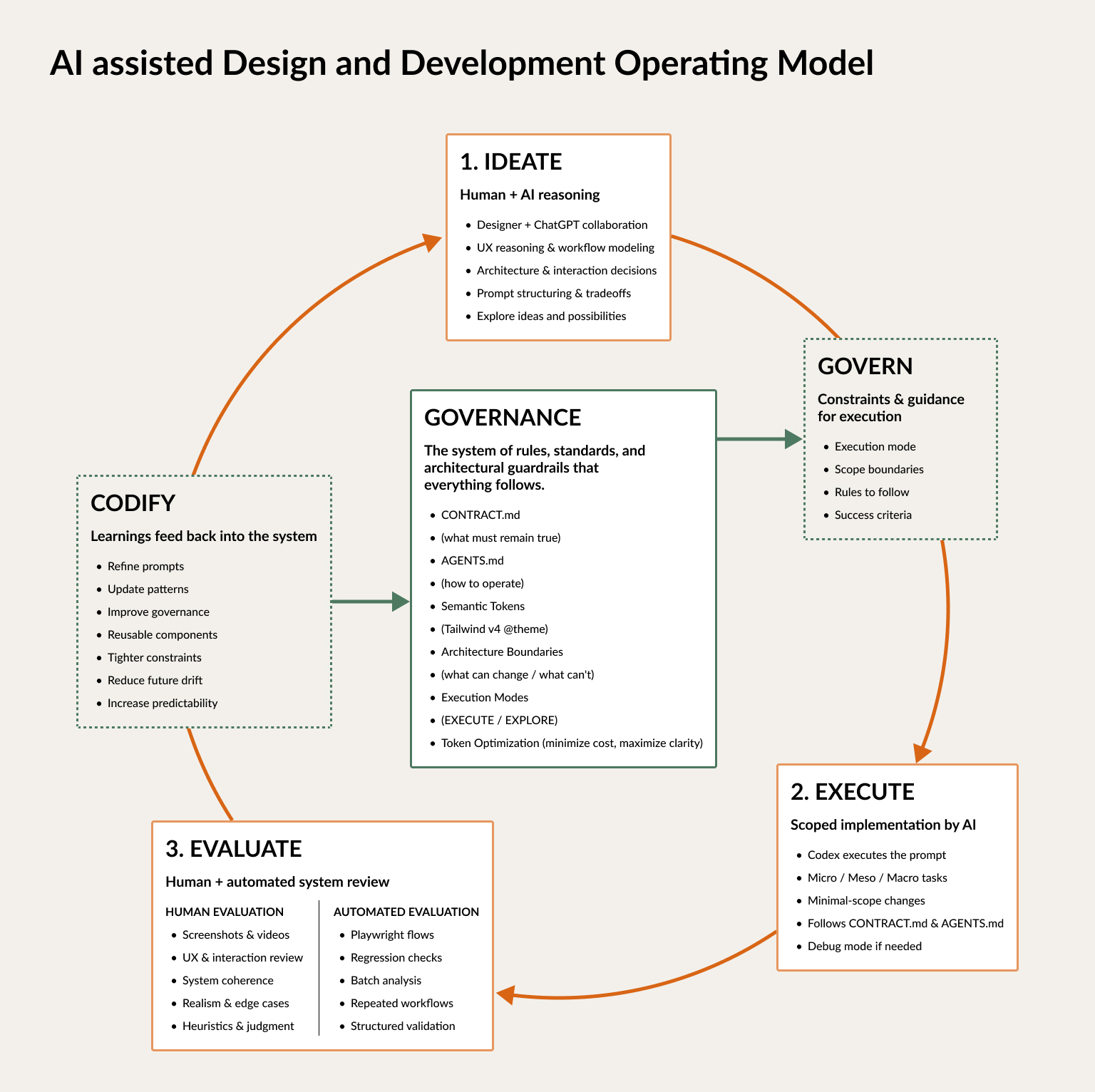
The loop connects ideation, execution and evaluation around an always-on governance layer.
2. Turning design intent into constraints
Once a direction is clear, I translate it into something another system can execute without having to guess.
That includes the goal, exact scope, relevant files, interaction rules, design tokens, patterns to reuse and what should remain untouched. For larger features, I also define success criteria and split the work into smaller decisions.
The prompt becomes less like a request and more like a compact design specification.
This matters because vague intent creates plausible but inconsistent results. The AI fills the gaps, often confidently. Explicit constraints reduce those gaps and make the output easier to judge.
I codified the recurring rules in two files:
CONTRACT.mddefines what must remain true: design principles, architecture boundaries, token usage and quality standards.AGENTS.mddefines how AI should work: task structure, scope discipline, execution modes and debugging behaviour.
Semantic tokens and reusable components carry the same logic into the interface. The system gives both me and the AI fewer local decisions to remake.
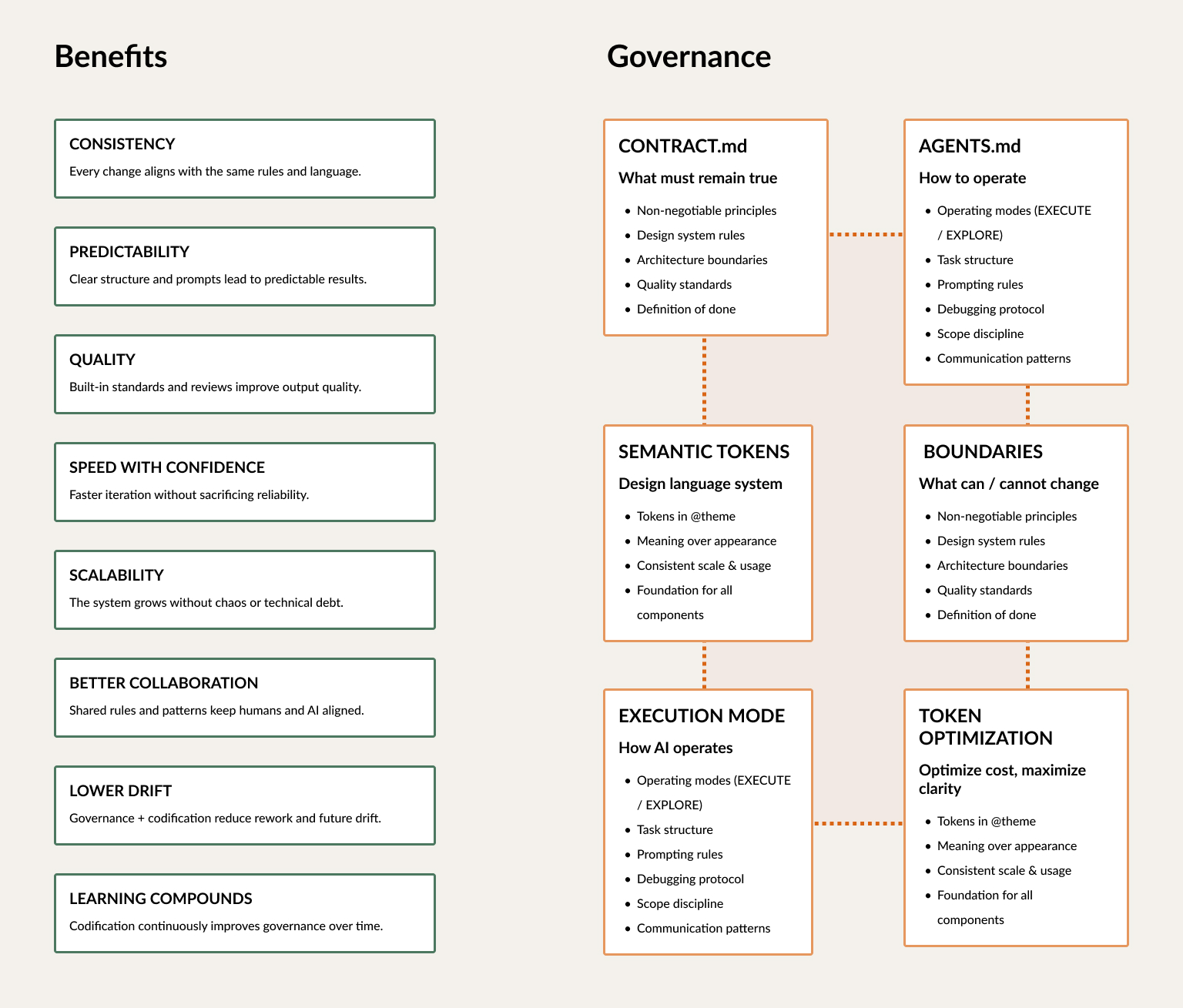
Governance turns design principles into rules that can guide implementation.
3. Matching freedom to the size of the task
Not every change should give the AI the same freedom.
I use three execution scopes:
- Micro for precise changes such as spacing, copy or a component state. No refactors and no new patterns.
- Meso for bounded feature work across a defined part of the product.
- Macro for changes to workflows, architecture or the system itself. These require planning before implementation.
This prevents a small correction from becoming a redesign. It also makes larger changes safer because the structural decisions are discussed before code is touched.
Debug mode
When something breaks, Debug mode separates diagnosis from correction. Codex first compares the expected and actual behaviour, identifies the likely cause and proposes the smallest valid fix. Only then does it change the code and verify the result. This stops “try again” from widening the scope or turning a bug fix into an accidental redesign.
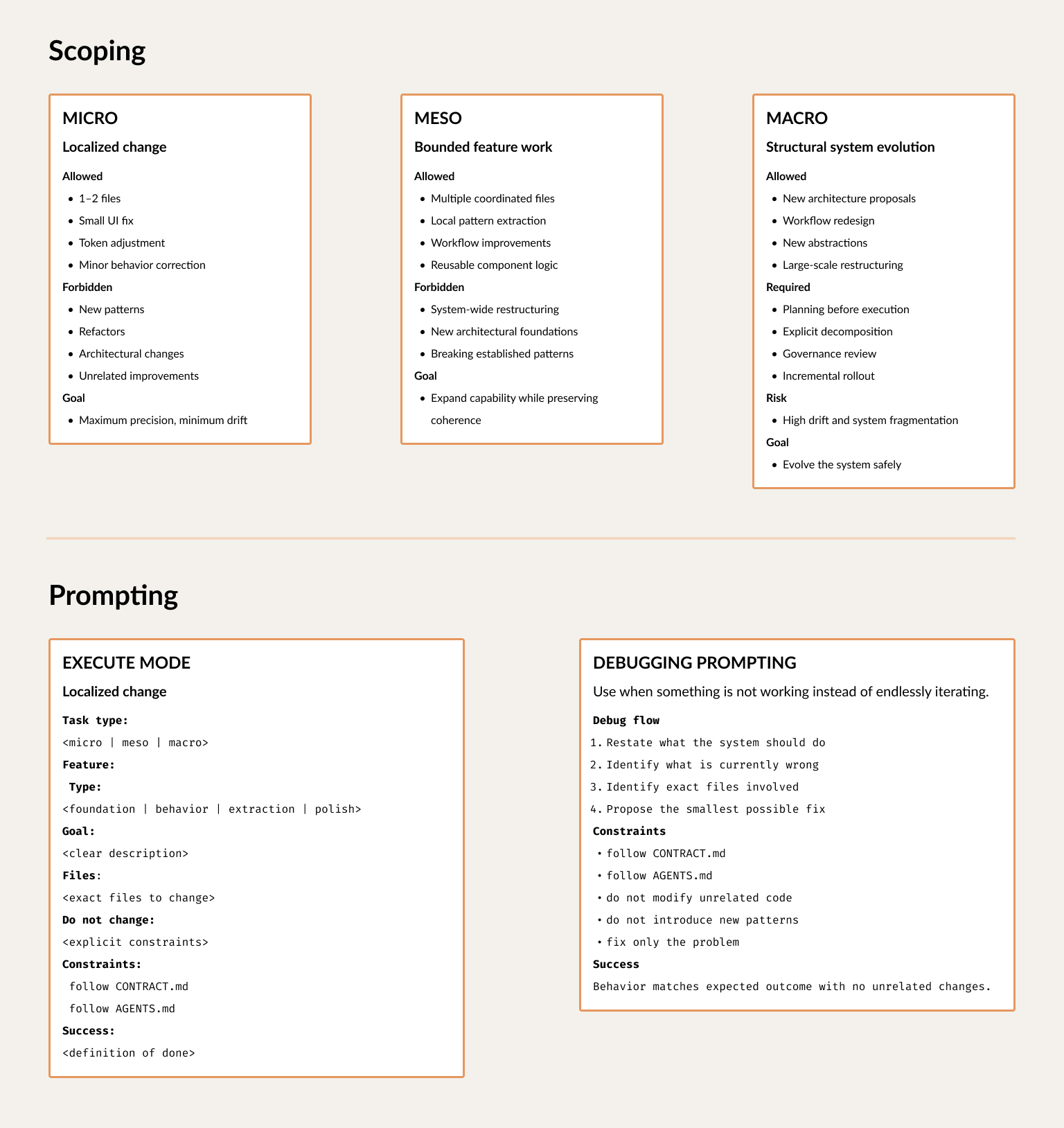
The scope defines what the AI is allowed to change and how much governance the task needs.
4. Evaluating the result as design work
Generated output is not finished output.
I review screenshots, interactions and responsive behaviour. I compare the result with the intended hierarchy, not only with the prompt. I check whether the workflow still makes sense, whether the system stayed coherent and whether the change created new problems elsewhere.
Some checks can be automated. The important decisions cannot.
When a pattern works, I codify it. When the AI repeatedly makes the same mistake, I improve the rule, component or specification that allowed it. Each iteration should make the next one easier.
The design system playground helps with this. It keeps tokens, typography, component states, fields and application patterns visible in one place, so I can evaluate the system rather than checking screens in isolation.
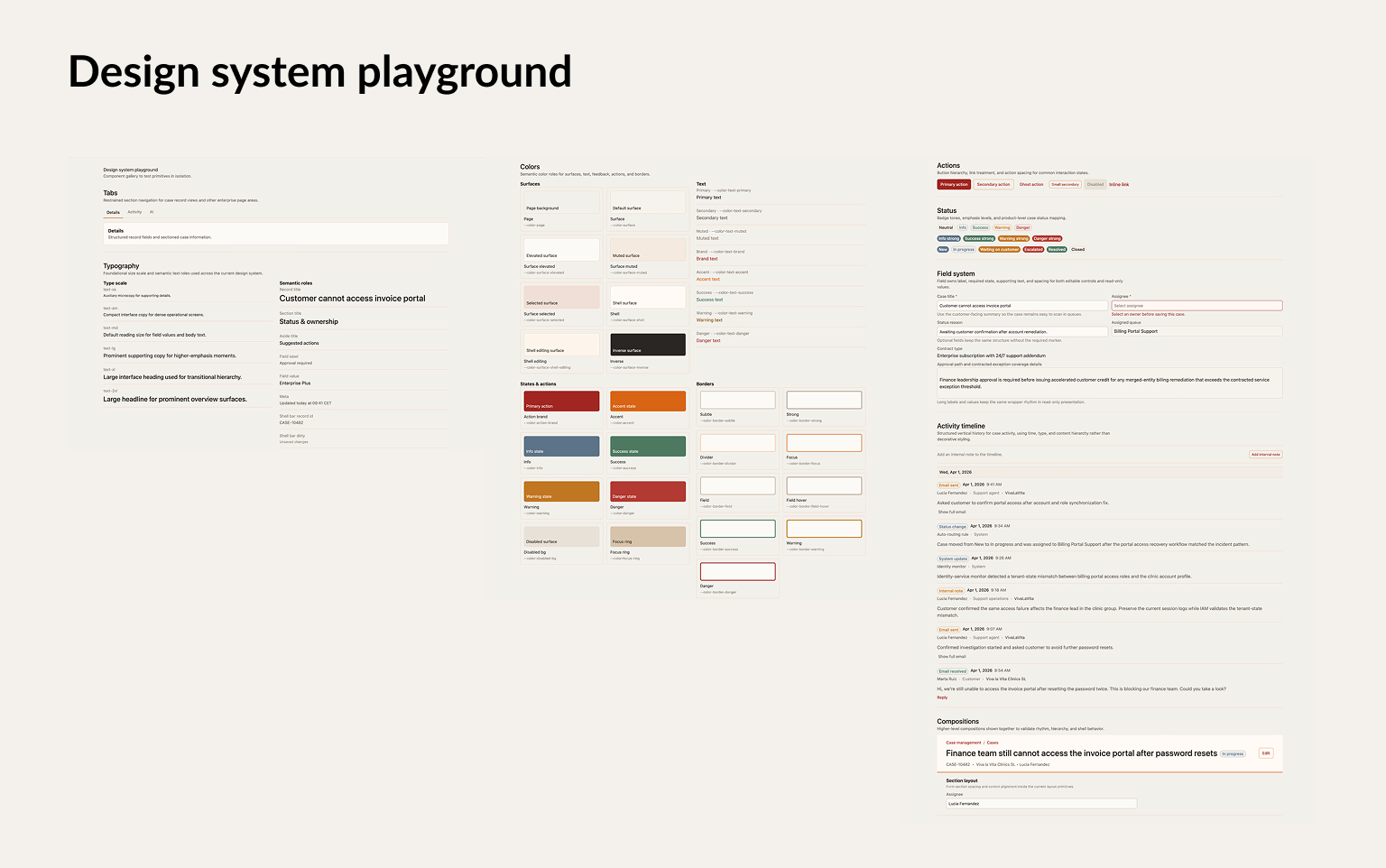
The playground makes drift visible before it spreads through the product.
What changed
- Less effort with every iteration: Similar changes needed shorter prompts, fewer corrections and fewer tokens. The biggest gain was not producing the first version faster. It was making every later version easier.
- More consistent results across the product: Components reused existing patterns instead of slowly drifting apart as new screens were added.
- More precise debugging: Clear rules made it easier to isolate what had gone wrong and fix the problem without changing unrelated parts of the product.
- Faster from framing to implementation: I could make larger changes without slowly losing the product’s logic. AI moved the work faster, while the product decisions remained visible, deliberate and mine.
- Less freedom, on purpose: New patterns needed a clear reason, and some decisions took longer at the beginning because they had to work beyond one screen. That constraint stopped faster production from creating a less coherent product.